Posts

Domain squatting for auto linking of Java properties files

Image
To no surprise, these days are mostly spent supporting the open source (but commercially backed) QZ Tray printing plugin . As part of our support offering, we're in constant communication with customers regarding technical matters, and in our case, modifying a Java properties file for various settings in the software, is just par for the course. In our case specifically, we call our file qz-tray.properties . What was a surprise is that through a series of email exchanges with end-users, this above filename "qz-tray.properties" had become an automatic-hyperlink between email exchanges. Upon investigation, this TLD (top level domain) of ".properties" was approved way back in 2014 (at time of writing, 10 years ago!), predominantly to fulfill the demand of online namespace for real estate companies. To put this in context, if someone were curious/inquiring and tried to quickly search " qz-tray.properties " from a browser address bar, it would result in a...

Parallels 16.3.0 Apple Silicon Windows 10 Screen Refresh Issues

Image
Parallels  Version 16.3.0 (50385) Technical Preview  was released today and it is capable of running Linux and Windows VMs, but with certain caveats.  I cannot find a list of known issues for this software so I'm documenting my own. Ubuntu 20.04 Desktop for ARM64  ISO not locatable, installer wants VHDX only it seems.  Selecting "All Files" allows selection, but then the user is presented with an error suggesting the ISO is Intel (it's not). If you choose to create the VM without a boot CD, the ISO can be mounted manually.  Installation succeeds without issue. Once booted, the VM works well however Parallels Tools are not yet available.  Attempt to run via command line wi will state "Aarch64 is not supported". Windows 10 Pro Insider Preview Installation is done using the VHDX image from Microsoft and it is completely seamless.  VM installs and boots up fine with Parallels Tools installed and working.  On my M1 Mac Pro, rebooting the VM causes...

ld: framework not found JavaVM

ld: framework not found JavaVM XCode 12 and higher no longer can use -framework JavaVM when building using Clang/gcc. See also this change in JNA PR RFC: Enable building jna for Darwin arm64: https://github.com/java-native-access/jna/commit/32c8915d3eb1c670c7d7fde4ca220f35d7be8bda#diff-d6a038c176b5df3cfcf2b1512ef7a63f57c7a207176bbbc6b3acc05acf75733aL413 Quoting Florian Kistner : "Apple does not ship a JavaVM framework anymore starting from Big Sur."  

Printing to a raw printer using DOSBox

Working article is here:  https://gist.github.com/tresf/48183217173cdaef580b2cb1797a052c Although DOSBox offers printing support, the documentation is sparse and most articles refer to printing on a Windows host. Using Ubuntu 20.04 and a fork of DOSBox called DOSBox-X, printing can be configured as follows: Install DOSBox-X Configure DOSBox-X to write to a physical file Write a script which listens on the physical file Install DOSBox-X Installing DOSBox-X on Linux is as simple as installing the snap:  https://snapcraft.io/dosbox-x .  This can be launched with Ubuntu Software center. Note: For Windows, MacOS or RPM users, DOXBox-X can be downloaded directly from the official site . Configure DOSBox-X to write to a physical file Although the recommendation for most tutorials is to configure DOSBox to print to a physical printer, I was unable to get this working on Ubuntu 20.04.  Instead, I had to manually configure DOSBox to print to a file. S...

QZ Tray 2.1.0 + MacOS 10.7 "Lion"

Image
Oracle's website makes claim that Java 8 is supported on macOS 10.7 or higher however this information is not correct for Java 8u122 and higher. https://stackoverflow.com/a/49678695/3196753 dyld: lazy symbol binding failed: Symbol not found: _CTFontCopyDefaultCascadeListForLanguages   Referenced from: /Library/Internet Plug-Ins/JavaAppletPlugin.plugin/Contents/Home/lib/libawt_lwawt.dylib   Expected in: /System/Library/Frameworks/ApplicationServices.framework/Versions/A/ApplicationServices Warning: There are security implications running outdated versions of macOS There are security implications running outdated version of Java 8 Continue at your own risk! Solution: Uninstall Java 8u241 using our guide here: https://qz.io/wiki/upgrading-java#macos Visit  https://www.oracle.com/java/technologies/javase/javase8-archive-downloads.html Search the page for: jre-8u121-macosx-x64.dmg Click the download link. Accept the Oracle License Agreement (popup) ...

15 years later: OpenWorkbench with AdopOpenJDK

Image
A question came in over on AdoptOpenJDK Slack channel about how to get OpenWorkbench -- a 2005 app written in C++ but uses a custom Niku-authored C++ to Java bridge for talking to the JVM -- working with AdopOpenJDK. Turns out it does work (at least it starts up!).  Here's how: It must be the 32-bit version (x86) of AdoptOpenJDK8 It must be the JRE ( NOT the JDK) Direct Link:   https://github.com/AdoptOpenJDK/openjdk8-binaries/releases/download/jdk8u242-b08/OpenJDK8U-jre_x86-32_windows_hotspot_8u242b08.msi You must click the checkbox for JavaSoft ( NOT JAVA_HOME) That's it, OpenWorkbench will startup with AdopOpenJDK with the above steps. Keywords: openworkbench no JRE at startup Cannot start or find the Java JRE (4) the JRE may not have been installed or the registry may be incorrect.

HiDPI Ubuntu 18.04 Parallels

Ubuntu 18.04 running in Parallels using Retina will be either blurry or too small. The setting to enable 200% in Ubuntu settings is missing.  Force it by doing the following: (whole numbers only) gsettings set org.gnome.desktop.interface scaling-factor 2 Then reboot. If you have a similar problem but don't have a Retina display, you may be interested in the following experimental feature: gsettings set org.gnome.mutter experimental-features "['scale-monitor-framebuffer']" This allows fractional scaling in Ubuntu 18.04.

HDHomeRun Dual + Geniatech EyeTV3

It appears the HDHomeRun Dual was dropped from the list of supported hardware by EyeTV3's latest updates. Fortunately, the old version will still detect the tuner and work properly. Unfortunately, the legacy downloads seems to be very hard to find.  Well, here's the link: http://file.geniatech.com/eyetv3/Geniatech_eyetv_3.6.9_7514.dmg Furthermore, a specific build can be grabbed by changing the URL appropriately.  Just change the _7514 to the build you need.  This should work for most legacy EyeTV3 downloads. Note, EyeTV isn't free.  This option only works for those that have paid for the software but since lost support for their attached hardware.

Amazon S3 Reporting

Image
Amazon S3 storage doesn't appear to have a built-in reporting feature for getting resource usage statistics.  Fortunately, there's s3stat.com which seems to do this in a breeze. The site has a .NET desktop application which automates the (somewhat painstaking) task of setting up a dedicated Amazon IAM user account and enable reporting on the bucket of choice. Once the 30-day trial is up, the service starts at $10 USD/month. I'm starting my free trial now to get some real-world analytics out of my Amazon S3 hosting. If you know of any other services that offer something similar, please leave it in the comments below. -Tres

Kali Linux 1.1.0 VirtualBox Guest Additions

Edit, you may want to try this out, notably the "dist-upgrade" portion. http://www.blackmoreops.com/2014/06/10/correct-way-install-virtualbox-guest-additions-packages-kali-linux/ Old info: If you receive this message: > "Building the main Guest Additions Module ...fail! (Look at /var/log/vboxadd-install.log to find out what went wrong)" There seems to be a difference between the versioning of the Kernel Headers running in Kali Linux versus the Kernel Header sources available via apt-get. These commands will expose the kali3 kernel sources to the currently running kernel (i.e. kali1, etc) thus allowing the VirtualBox display adapter to work properly. sudo apt-get install build-essential sudo ln -s /lib/modules/3.1.8.0-kali3-amd64/source /lib/modules/$(uname -r)/source sudo ln -s /lib/modules/3.1.8.0-kali3-amd64/build /lib/modules/$(uname -r)/build sudo bash '/media/cdrom0/VBoxLinuxAdditions.run' Test 3D  acceleration : glxg...

Syracuse NY Terrestrial/Clear QAM Mapping

For those in the Rome/Utica/Syracuse area that may combine a OTA digital antenna (ATSC) with Time Warner ClearQAM on a 3rd-party DVR device... or perhaps you're simply trying to tune in the local stations from your cable line onto a computer tuner (HDHomeRun, CetonTV, Elgato eyeTV, etc) here's what I've put together in terms of station mapping...  Station Handle Call Sign Channel QAM Channel NBC WKTVDT 2.1 -- CWPLUS WKTVDT2 2.2 -- METV WKTVDT3 2.3 -- NBC WSTMDT1 3.1 76.3 CW WSTMDT2 3.2 92.5 IND WSTMDT3 3.3 76.2 CBS WTVHDT1 5.1 76.5 ABC WSYRDT 9.1 92.1 METV WSYRDT2 9.2 92.2 BOUNCE WSYRDT3 9.3 -- YNN TWCNCNY 10.1 86.1 WGN -- 14.1 93.5 TBS -- 17.1 119.2 ABC WUTRDT 20.1 -- MYNET WUTRDT2 20.2 --...

Amazon Unbox Broken by Windows Updates

Per thedigitialmediazone's article: A recent update that came through Windows Update on December 9th, 2014, appears to be breaking the PlayReady DRM used by Media Center. Members of the GreenButton.tv forum are indicating that the culprit is update KB3004394. The update applies to all versions of Windows 7, Windows 8, Windows 8.1, although only Windows 7 has been tested for breakage so far. If it breaks PlayReady for all of those versions, the Media Center users will be unable to play back any protected content including watching live TV and watching recorded TV. Any non-protected content, like over the air recordings, should play back just fine. Do not attempt to reinstall PlayReady, as you may loose access to your existing library of protected content. It appears that the best fix, until Microsoft addresses this, is to remove the update 3004394. Thanks to Paul Honens for the tip! Full article here: http://www.thedigitalmediazone.com/2014/12/10/windows-update-breaking-pl...

How to prepare for Java 7 Update 51?

The exception site list [ link ] newly introduced with Java 7 Update 51 is a well needed work-around for those LiveConnect users out there that get blocked on every update, however am I correct in assuming it does nothing to help the issues we will encounter with the roll-out of Java 7 Update 51 in January? If so, it still puts administrators in reactive mode for this next update.  Thousands of applets around the world will stop functioning the day they are marked outdated (usually the day the new version is released), and the only work-arounds are inadequate for non-specific deployments (the spirit of cloud services and spirit that the web was formed on).  i.e. Default settings will block the applet and there isn't an easy way for users stop it. Arguments I've seen to alleviate this stress on the users (and therefor on the projects and companies that are flooded with complaints when this occurs) often mention 1. Deployment Rule Sets for the PCs and 2. Lowering the securi...

Configuring Pidgin with Avaya OneX Portal XMPP Server

Image
Background Avaya's OneX Portal has a built in Jabber/XMPP server (OpenFire).  This service is easy to connect to, however the message "Invalid Login" shows up when you try to connect using a 3rd party IM client, such as Pidgin.  This was due to incorrect documentation from Avaya  (usernames with spaces needed underscores). Since there wasn't any help online for this, here are my steps for quickly getting Pidgin working with your Avaya OneX instant messenger. (Also works for Mac OSX iChat) Steps Have the network administrator create a DNS record for the appropriate named service.  This FQDN should have been established while installing and configuring OneX Portal. i.e. Alias record:   onex.yourcompany.com In Avaya IP Office manager, the the username must be configured to use OneX portal. - Launch Manager - Click Users (It's not alphabetic, it's under Extension) - Select the Extension/User you would like to enable chat for - Either change the pr...

Parallels 7 + Ubuntu 12.10

Image
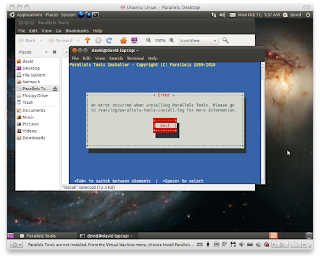
To get Parallels 7 working properly with Ubuntu 12.10 (Also works with 12.04, may work with other versions). Disclaimer:   You will need to purchase Parallels 8 in order to get the tools to work with 12.10 since it comes with the newer version of Parallels Tools. My work-around:   A work-around until you are able to upgrade: Download the trial of ParallelsDesktop-8.x.xxxxx.xxxxxx.dmg Extract dmg with 7-zip or equivalent . Locate 2.hfs Extract 2.hfs with 7-zip or equivalent Navigate to \Parallels Desktop.app\Contents\Resources\Tools\ Use prl-tool-lin.iso .  Attach this as a virtual CD-ROM in Parallels .  Install the tools as you would normally. Your desktop should now resize properly.  To test 3D functionality: /usr/lib/nux/unity_support_test -p -Tres

Automating TrackIt! Reports

Automating TrackIt! Reports - The Easy Way (Works for other Crystal Reports) Rainforest Software makes a utility "crexport.exe" that can automate a Crystal Report with parameters.  Here's how: If not already installed, install the .NET Framework 4.0 .  This comes bundled with modern versions of Windows and most likely is already installed. Install the 32-bit Crystal Reports runtime here . (64-bit won't work for TrackIt! reports, but may work for others). Download and extract " crexport.exe " to a folder on your desktop From TrackIt's report section, click "Work Order Status by Technician" and in the top left click "Export Report". Save this report to the same directory as "crexport.exe". Download the " CorFlags.exe " utility to the same directory as "crexport.exe" Open a command prompt.  Using CorFlags, Switch "crexport.exe" to run in 32-bit only. corflags /32BIT+ crexport.exe Get ...

Windows 8 Lock Screen Timout

Image
Simple script to set the Lock Screen Timout in Windows 8 to be the same as the screen sleep.  This is useful for Windows 8 PCs that are connected to AC power so that lock screen notifications can still be seen until the screen enters sleep mode. The default setting of 60 seconds is useful for mobile devices to preserve battery, but for office use, this defeats the purpose of having an interactive lock screen. @echo off cls REM ############################################################################ REM #                      CONSOLE LOCK FIX WINDOWS 8 PC                       # REM ############################################################################ REM # Description: Sets console lock to occur when screen sleeps (i.e. 10 mins)# REM # Author:  A. Tres Finocchiaro, 2013-04-16                     ...

[Fixed] VST Pops/Clicks in LMMS Win7 x64

Image
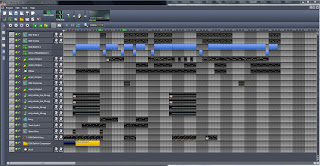
Partial fixed, I created a VBScript to remedy this.  I just run it when VSTs start popping and clicking.  Post if you have a better way to do this. Download the VBScript here: http://sdrv.ms/1044J1V Note:  This must be run after a project using VSTs has been loaded. ------------------------------------------------- ORIGINAL DESCRIPTION BELOW So I use LMMS a lot on several PCs and I've noticed on one of my machines, the latency (pops/clicks) for VSTs is unbearable. I've tried to install ASIO4all as a work-around, but PortAudio never lists under sound devices.  Am I doing something wrong? If I change the process priority for RemoveVstPlugin32.exe* to realtime, the latency issues go away.  Can this realtime process priority option be added to through LMMS? (is that even possible?) If not, does anyone know any other tweaks for VST latency in Windows? This happens even worse when I'm scrolling through the project or moving a window around. ...

Ubuntu 12.10 x64 + LMMS 0.4.14-rc1 with VST Support

Image
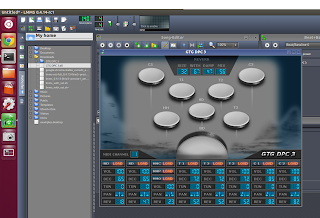
Ubuntu 12.10 x64 + LMMS 0.4.14-rc1 with VST Support May work with other versions: sudo apt-get remove lmms sudo apt-add-repository ppa:ubuntu-wine/ppa sudo apt-add-repository ppa:kxstudio-team/ppa sudo apt-get update sudo apt-get install wine sudo apt-get install lmms Solution?  Install the new version of Wine and the KXStudio version of LMMS. This will prompt for all the usual Wine stuff (MSCore Fonts, etc). When the first VST plugin is loaded, it may say "Preparing wine configuration, please wait".  Just wait for it to finish and VST should work. This is the quickest way I could find to get LMMS working with VST under Ubuntu 12.10 x64. Problems with other methods I've found: Some mirrors of 0.4.14-rc1 don't include the VST plugin binaries Some methods seem to install an incompatible version of Wine -Tres

Ubuntu 12.10 x64 Mouse Glitch in VirtualBox

Image
Ask Ubuntu has the answer: http://askubuntu.com/questions/207813/why-does-an-ubuntu-12-10-guest-in-virtualbox-run-very-very-slowly/214968#214968 This method involves compiling the guest add-ons and then enabling vboxvideo in /etc/modules seems to fix it.  I have the instructions copied below. Unfortunately, you can't simply copy/paste these into the VM, since the guest addons need to be installed for the clipboard to work, so type very carefully. -Tres How to enable 3D acceleration (VirtualBox 4.2.x only) - Courtesy AskUbuntu.com These instructions are intended for VirtualBox 4.2.4 or 4.2.6, installed from VirtualBox's website, not from Ubuntu's repo. Future versions of VirtualBox may fix this problem automatically, or may need a different workaround. Install VirtualBox Oracle VM VirtualBox Extension Pack. Create a VirtualBox instance and install Ubuntu 12.10 on it. Install some required packages for the guest additions: sudo apt-get install linux-h...