Posts

Change Security Certificate jZebra

Open command prompt (Assumes Windows 7) Type: > cd %PROGRAMFILES%\Java\jdk1*\bin Type: > keytool -import -alias myalias -file %USERPROFILE%\Documents\mycert.cer -keystore %USERPROFILE%\Documents\mykeystore.ks Since the keystore doesn't yet exist, it will be created, and you will be prompted for a keystore password; type whatever password you want. This will later be entered into NetBeans. For the purposes of this tutorial we will use password of "randomaccess123". Copy mykeystore.ks to the root of your jZebra project folder (probably %USERPROFILE%\Documents\NetBeansProjects\jZebra) If not already, open NetBeans (Version 6.8+). Make sure Java Web Start is enabled in project properties. Navigate to Files in upper left (if hidden, CTRL + 2) Expand nbproject folder. Double click jnlp-impl.xml. Scroll to the section that says "<!-- Custom - Modified by Tres Finocchiaro 12/8/2010 -->" (Alternately, you can CTRL+F to search for "tres...
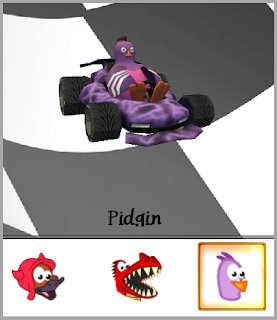
SuperTuxKart inside VirtualBox

Image
For those with a working VirtualBox install and OpenGL enabled, "supertuxkart" works very well with VirtualBox 3D acceleration!  The exception being, for some users, the mouse movement behaves incorrectly (the menus continuously move and gameplay turns to the left and won't let you steer). This is how you fix it quickly: (Ubuntu as a VirtualBox Guest) Open "input.xml" with a text editor: $ gedit ~/.config/supertuxkart/input.xml Disable "VirtualBox USB Tablet": <gamepad name ="VirtualBox USB Tablet" enabled=" true " > Change to: <gamepad name ="VirtualBox USB Tablet" enabled=" false " > Save the file and re-launch the game. If the game cannot be closed, close it manually using "pkill": $ pkill -9 supertuxkart This simply disables the VirtualBox USB Tablet .  The tablet emulator for VirtualBox causes the game to be unplayable.  This setting can be changed in-game through ...

jZebra - Cut Paper on a Citizen CT-S2000

Tres, I am using [jZebra] with a Citizen CT-S2000 [for raw printing]. I changed the name from Zebra to the printer name and was able to print out the text; however the paper will not automatically cut off the receipt like it normally would after printing is complete. I have found the .pdf file on printing from the Citizen website but I don’t fully understand what I am doing here. Below is the page with the code to cut off the printer. I tried this                 applet.append( "bottom is here \n\r" );                 applet.append( "<1B>H<69>H" ); and this                 applet.append( "bottom is here \n\r" );                 applet.append( "ESC m" ); and had no luck with ...

Java Applet CP-1252 Linux

Update:  1/7/2011 My solution is right in the JavaDoc .  I take in a bunch of bytes, but never specify what format their in.  Java makes an assumption of what format they're in depending on the platform. Even worse, I initialize the SimpleDoc(rawCmds.getBytes(), docFlavor, docAttr); without specifying what format the Bytes were in.  This needed to change to new SimpleDoc(rawCmds..getBytes (charset) , docFlavor, docAttr); This article lead me to it... My solution will be simply to use the String function that accepts the "CharSet" option and force US-ASCII  and convert bytes using the same charset variable. EDIT: force  "Cp1252" -Tres I was asked the following question via email: Mr. Tres, .. I need your help to solve this: jZebra seems doesnt have ability to print-out extended ASCII (char 129-255) in Linux - but, it's OK in Windows. I guess, that jZebra is working only in ISO-8859-1 character encoding which supported by Windows O...

Configure Synergy Client for Ubuntu 10.10

Image
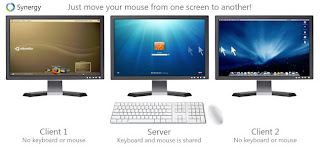
Background: Synergy shares the mouse/keyboard (similar to a KVM) across the network.  Due to difficulties using Windows7 as a Synergy client, I've moved my synergy server to Windows7 and set my Ubuntu 10.10 system up as the client.  This is now working great, but there were a few "gotchas" along the way. Synergy on Linux does not come bundled with GUI tools for configuring it.  Synergy's site recommends setting up a "synergy.conf"  file that is intimidating and prone to typos. This tutorial will simplify the setup for sharing, or "Remote Controlling" an Ubuntu 10.10 desktop from a Windows7 desktop via network connection quickly and easily. Synergy seems to work best with Windows7 if run as Administrator. This can be changed in the shortcut properties for Synergy.  Others have had success modifying group policy settings instead (advanced users only). Additionally, some considerations outside the scope of this tutorial were mad...

Persistent Route Ubuntu 10.10

Image
Background: This may seem obvious to some, but Ubuntu has built-in support for adding static network routes. This is useful when a connection to a secondary network requires a different gateway than the one normally used to access the internet. In windows, this is done through the "route -p" command, but the same command doesn't work for Ubuntu Linux. Originally, I found a temporary solution. I would not recommend this method as a permanent solution. sudo route add -net 10.8.0.0/16 gw 10.7.1.1 dev eth0 The problem with this method is settings are lost after restarting the network. Other tutorials mention changes to /etc/network/interfaces . I would not recommend this method for Ubuntu Desktop as the syntax seems to have changed between tutorials. The best solution I have found is through the built-in Network Connection dialogs for Ubuntu/Gnome desktop. Steps: System, Preferences, Network Connections Click "Auto (eth0)" and click "Edit...

WAKE-ON-VNC

This is a small script I made to send a WAKE ON LAN message to a computer, then VNC into it.  It could be easily modified to use RDP, or other remote access/remote desktop applications.  I use it for a PC connected to a projector that is out-of-reach. For this script, I used mc-wol.exe , and UltraVNC Viewer/UltraVNC Server .  For installing and configuring VNC, please use UltraVNC's site, or Google it. : ) To open CMD and run "cscript.exe wake-on-lan.vbs" wake-on-lan.vbs Option Explicit '============================================================================== '                                WAKE-ON-VNC '============================================================================== 'Sends WOL message to specified MAC, then launches VNC 'Created:  2010-10-13, A. Tres Finocchiaro 'License:  GPL 3.0+ Dim timeout, mac, host, shell, vnc, pwd, hst, vncwait Set she...